How to Manage Inventory Effectively in BigCommerce provides a detailed roadmap for businesses looking to streamline their inventory processes within the platform. This guide delves into the nuances of inventory management, offering insights that can revolutionize the way businesses handle their stock.
As we navigate through the intricacies of inventory management in BigCommerce, we uncover key strategies and tools that can propel businesses towards greater efficiency and profitability.
Overview of Inventory Management in BigCommerce
Effective inventory management is crucial for businesses operating on the BigCommerce platform as it helps in optimizing stock levels, reducing holding costs, and improving overall operational efficiency. By keeping track of inventory levels, businesses can prevent stockouts, avoid overstocking, and ensure timely order fulfillment to maintain customer satisfaction.
Key Challenges in Inventory Management on BigCommerce
- Integration Issues: Businesses may face challenges in integrating their inventory management system with BigCommerce, leading to discrepancies in stock levels.
- Manual Data Entry: The manual entry of inventory data can result in errors, leading to inaccurate stock counts and mismanagement of inventory.
- Forecasting Accuracy: Predicting demand accurately can be difficult, resulting in excess inventory or stockouts.
- Multi-channel Selling: Managing inventory across multiple sales channels can be complex and challenging without proper synchronization.
Benefits of Efficient Inventory Management on BigCommerce
- Improved Customer Satisfaction: Timely order fulfillment and accurate stock levels lead to enhanced customer experience.
- Cost Savings: By optimizing inventory levels, businesses can reduce holding costs and minimize the risk of dead stock.
- Increased Sales: Effective inventory management ensures that popular items are always in stock, leading to higher sales and revenue.
- Operational Efficiency: Streamlining inventory processes can improve overall operational efficiency and reduce manual errors.
Setting Up Inventory Tracking in BigCommerce
Setting up inventory tracking in BigCommerce is essential for managing your products efficiently. Follow these steps to get started:
Different Types of Inventory Tracking Methods
There are several inventory tracking methods available in BigCommerce, each with its own advantages and disadvantages:
- Manual Inventory Tracking:
- Barcode Scanning:
- Automated Inventory Management:
With manual inventory tracking, you update your stock levels by hand as sales come in. This method is simple and cost-effective, but it can be time-consuming and prone to errors.
Using barcode scanning technology allows you to quickly update your inventory levels as products are bought and sold. This method is efficient and reduces the risk of human error.
Automated inventory management systems integrate with your BigCommerce store to track stock levels in real-time. While this method is highly efficient and accurate, it may require an initial investment.
It's important to choose an inventory tracking method that aligns with the size of your business and the volume of products you sell.
Inventory Organization Strategies in BigCommerce
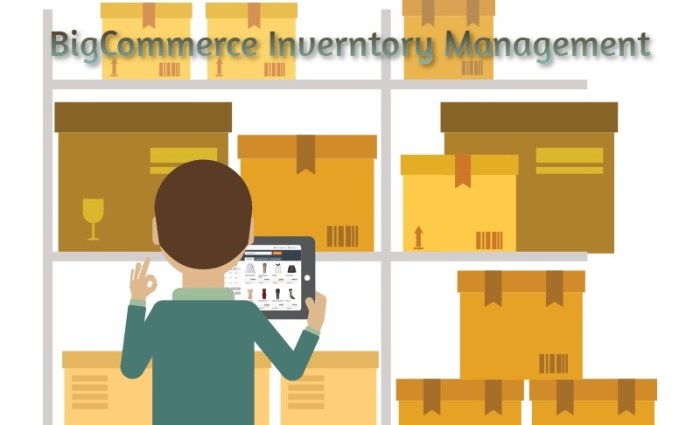
Effective inventory organization is crucial for businesses using the BigCommerce platform to manage their products efficiently. By implementing best practices and categorizing inventory effectively, businesses can streamline their management processes and ensure accurate product information is maintained.
Categorizing Inventory
- Divide products into logical categories: Create categories based on product type, brand, size, color, or any other relevant criteria to make it easier for customers to navigate your store.
- Use product tags: Utilize tags to further classify products and make them easily searchable for both customers and internal management purposes.
- Implement subcategories: Organize products within broader categories by creating subcategories for more specific groupings.
Maintaining Accurate Product Information
- Update product descriptions: Ensure that product descriptions are detailed, accurate, and up to date to provide customers with the necessary information to make informed purchasing decisions.
- Regularly check inventory levels: Keep track of stock levels and update them promptly to prevent overselling or running out of stock.
- Utilize product identifiers: Use unique identifiers such as SKUs or barcodes to easily identify and locate products within your inventory system.
Implementing Automation Tools for Inventory Management in BigCommerce
Implementing automation tools in BigCommerce can significantly enhance the efficiency of inventory management processes, leading to reduced manual errors and streamlined operations.
Available Automation Tools in BigCommerce
BigCommerce offers a range of automation tools specifically designed to help merchants manage their inventory effectively. Some of the key tools include:
- Automatic Reorder Points: Set up reorder points for products to automatically trigger reordering when inventory levels reach a specific threshold.
- Barcode Scanning Integration: Integrate barcode scanning technology to track inventory movements accurately and in real-time.
- Inventory Forecasting: Utilize data analytics to predict future inventory needs based on past sales trends and seasonal fluctuations.
Benefits of Automation Tools
Automation tools can revolutionize inventory management by:
- Minimizing Manual Errors: By automating repetitive tasks, the likelihood of human errors is significantly reduced.
- Improving Efficiency: Automation speeds up processes, allowing for quicker decision-making and faster order fulfillment.
- Enhancing Accuracy: Real-time data tracking ensures inventory levels are always up-to-date and accurate.
Choosing the Right Automation Tools
When selecting automation tools for inventory management in BigCommerce, consider the following factors:
- Business Needs: Identify the specific pain points in your current inventory management process that automation can address.
- Inventory Complexity: Choose tools that can handle the size and complexity of your inventory without becoming overwhelmed.
- Integration Capabilities: Ensure that the automation tools can seamlessly integrate with your existing systems and workflows.
Closing Summary

In conclusion, mastering inventory management in BigCommerce is not just about keeping track of stock levels; it's about optimizing processes, maximizing resources, and ultimately, driving business growth. By implementing the tips and strategies Artikeld in this guide, businesses can elevate their inventory management practices to new heights.
General Inquiries
How do I effectively categorize my inventory in BigCommerce?
To categorize your inventory effectively in BigCommerce, consider organizing products based on similar attributes or characteristics to streamline navigation for customers.
What are the benefits of using automation tools for inventory management in BigCommerce?
Automation tools in BigCommerce can help businesses save time, reduce manual errors, and ensure inventory data accuracy by automating repetitive tasks.
How can efficient inventory management benefit businesses using BigCommerce?
Efficient inventory management in BigCommerce can lead to reduced storage costs, improved order fulfillment, better customer satisfaction, and increased profitability for businesses.